How do I create tickets?
Your ticket categories and types are a crucial part of your event setup, as they represent the main products sold to your customers. Clearly and strategically defining them is essential for building a successful event.
Ticket categories
1: In the event settings go to "Ticket categories".
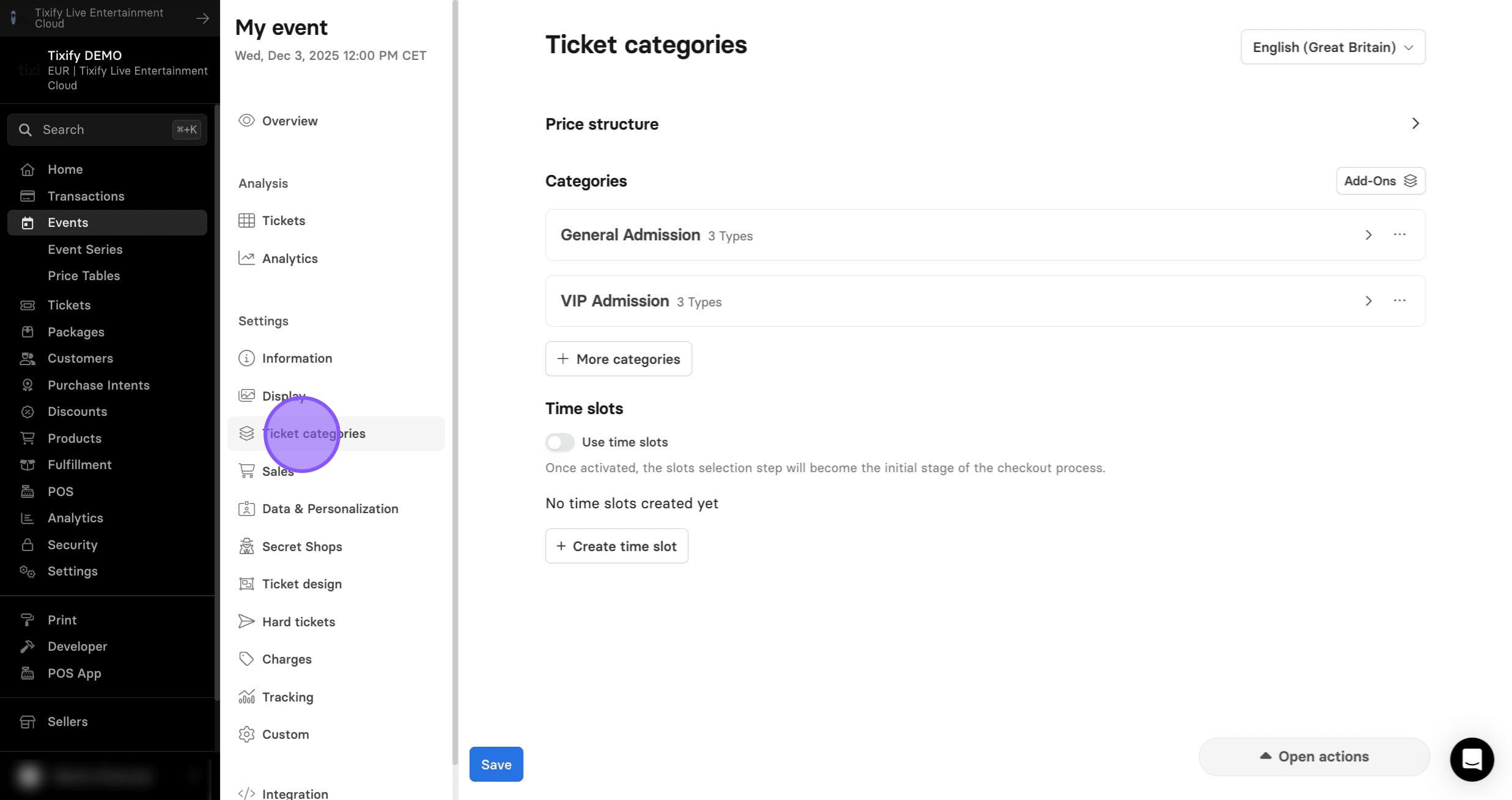
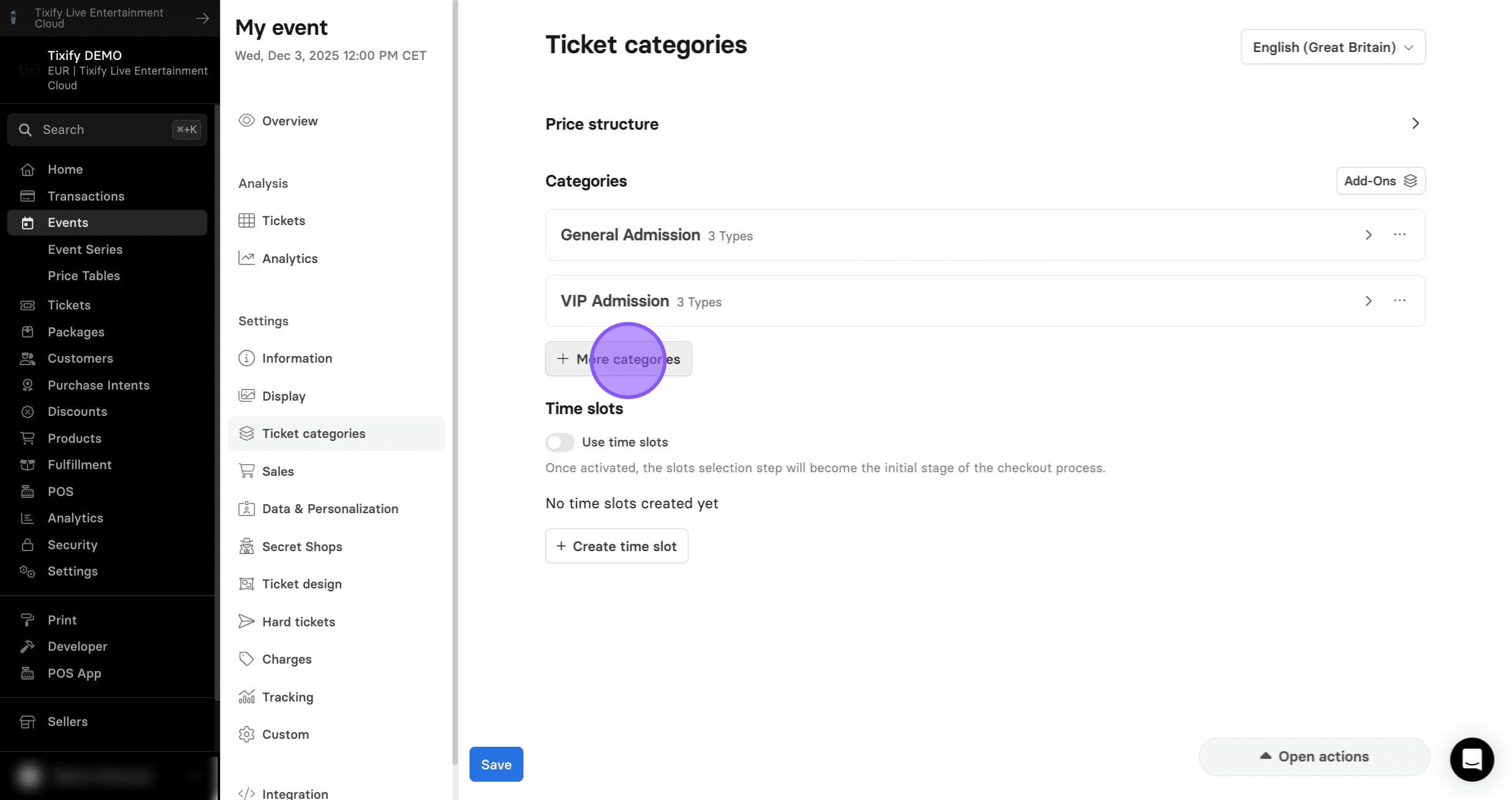
2: First we need to add ticket category. Clear and consistent category names are crucial for preventing confusion and helping ticket buyers quickly select the right option.
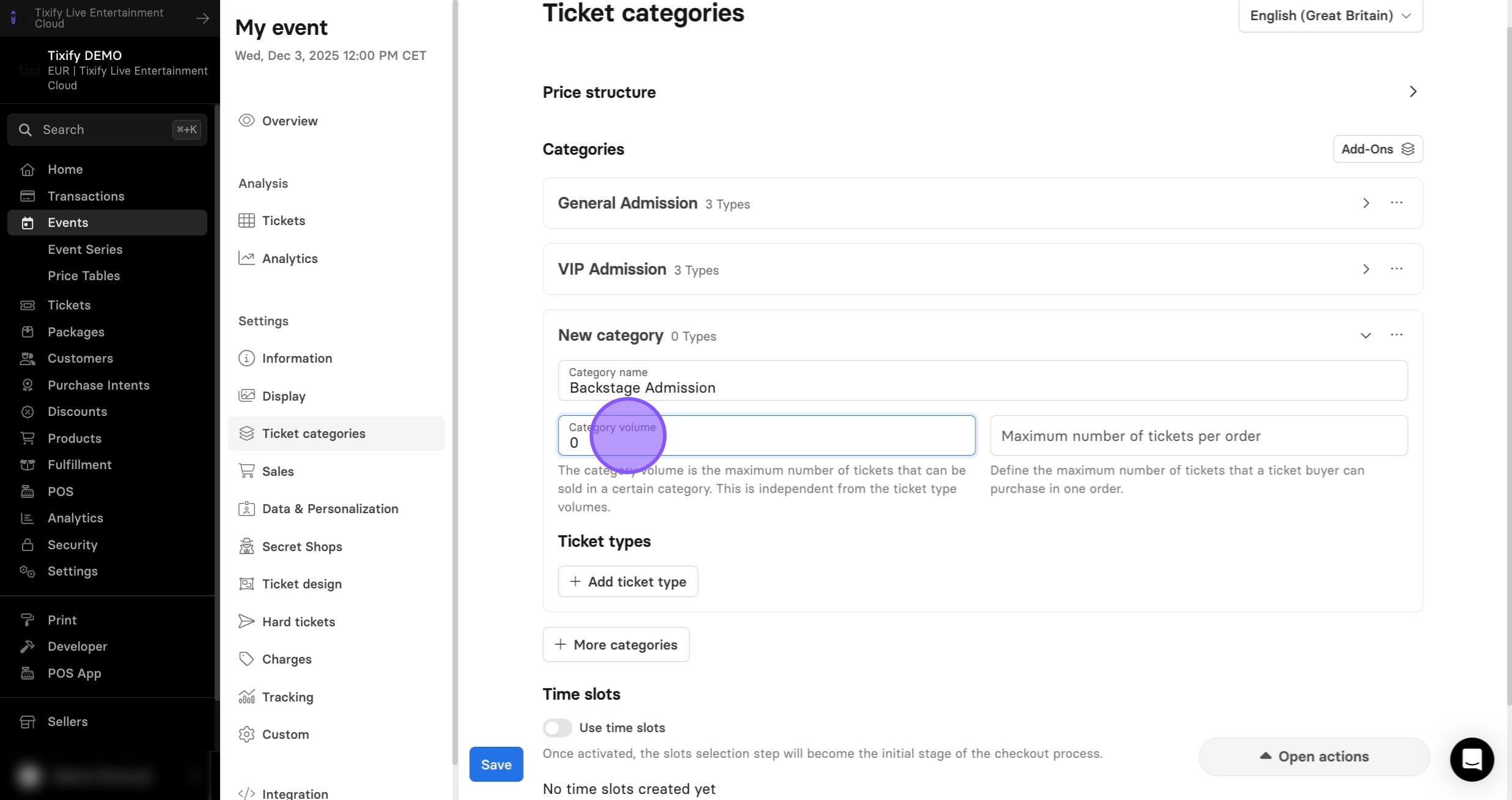
3: The category volume represents the total number of tickets that can be sold within that category.
This limit applies across all ticket types in the category. Once the total volume is reached, the entire category will be sold out—even if individual ticket types still have remaining volume.
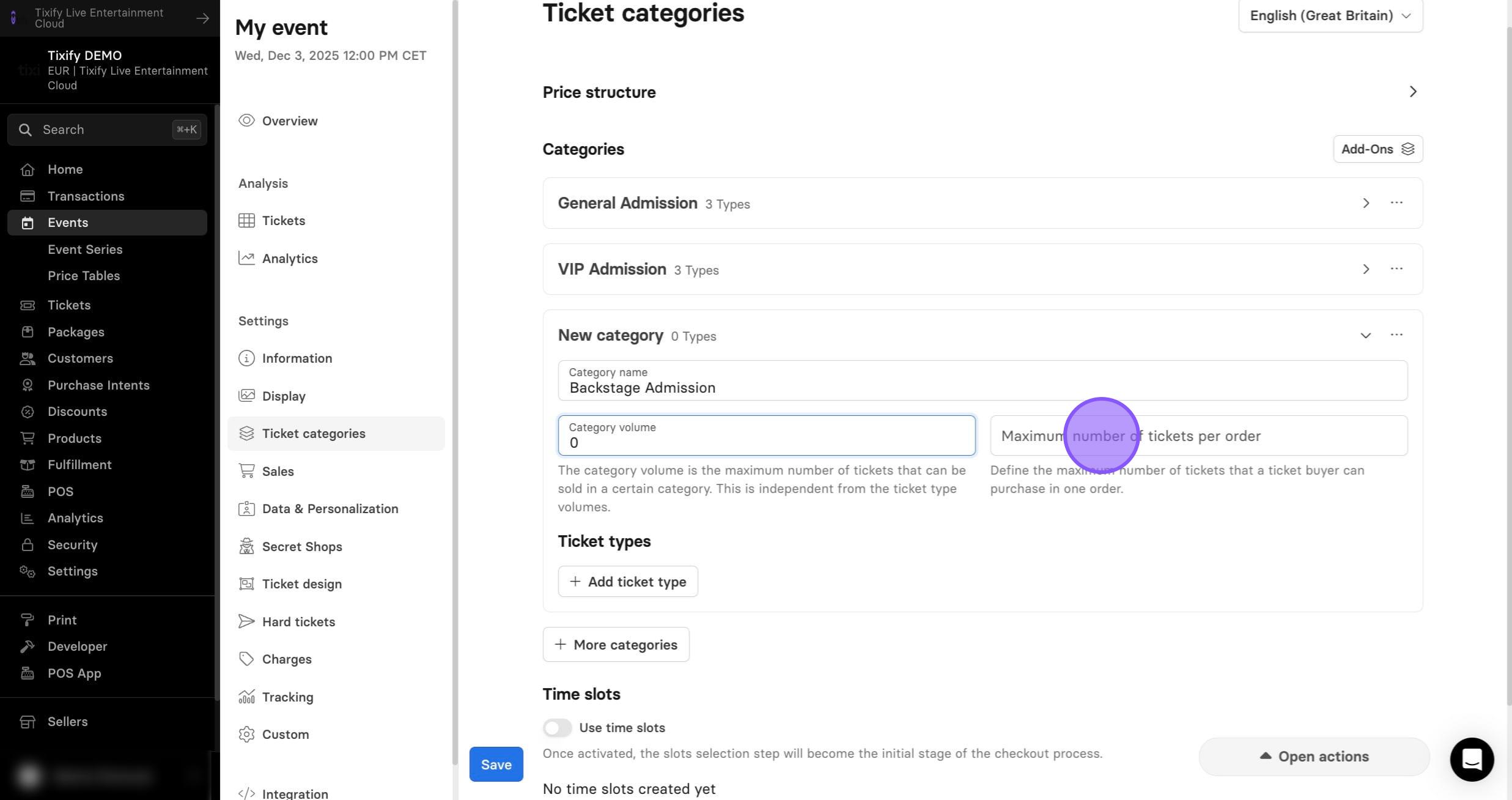
4: The maximum number of tickets per order setting determines how many tickets a customer can add to their cart in a single purchase.
5: By clicking on three dots you can either duplicate or delete the entire category.
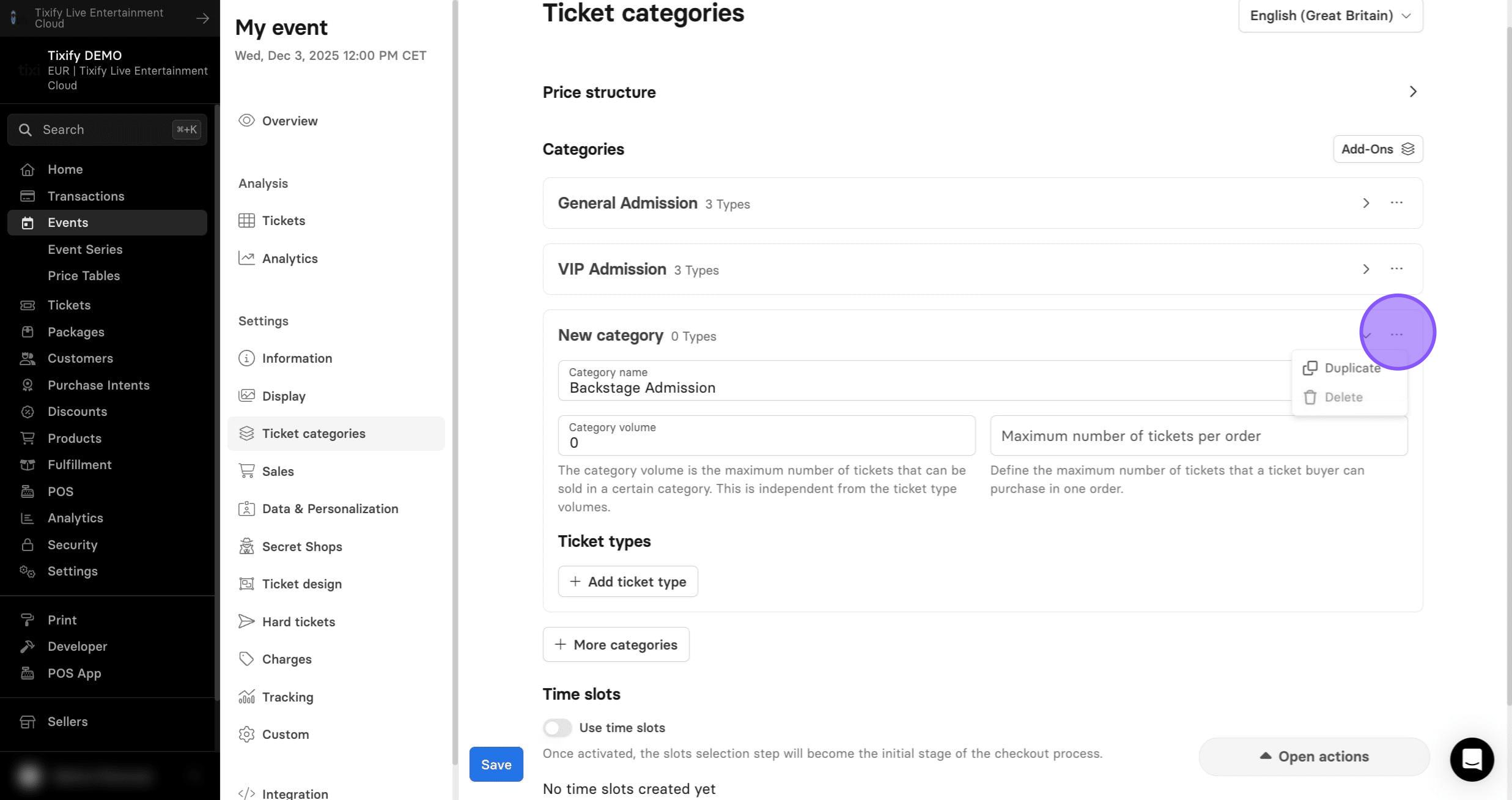
It's not possible to delete a category once there is at least one successful purchase within this category.
6: Start adding tickets by clicking "Add ticket type"
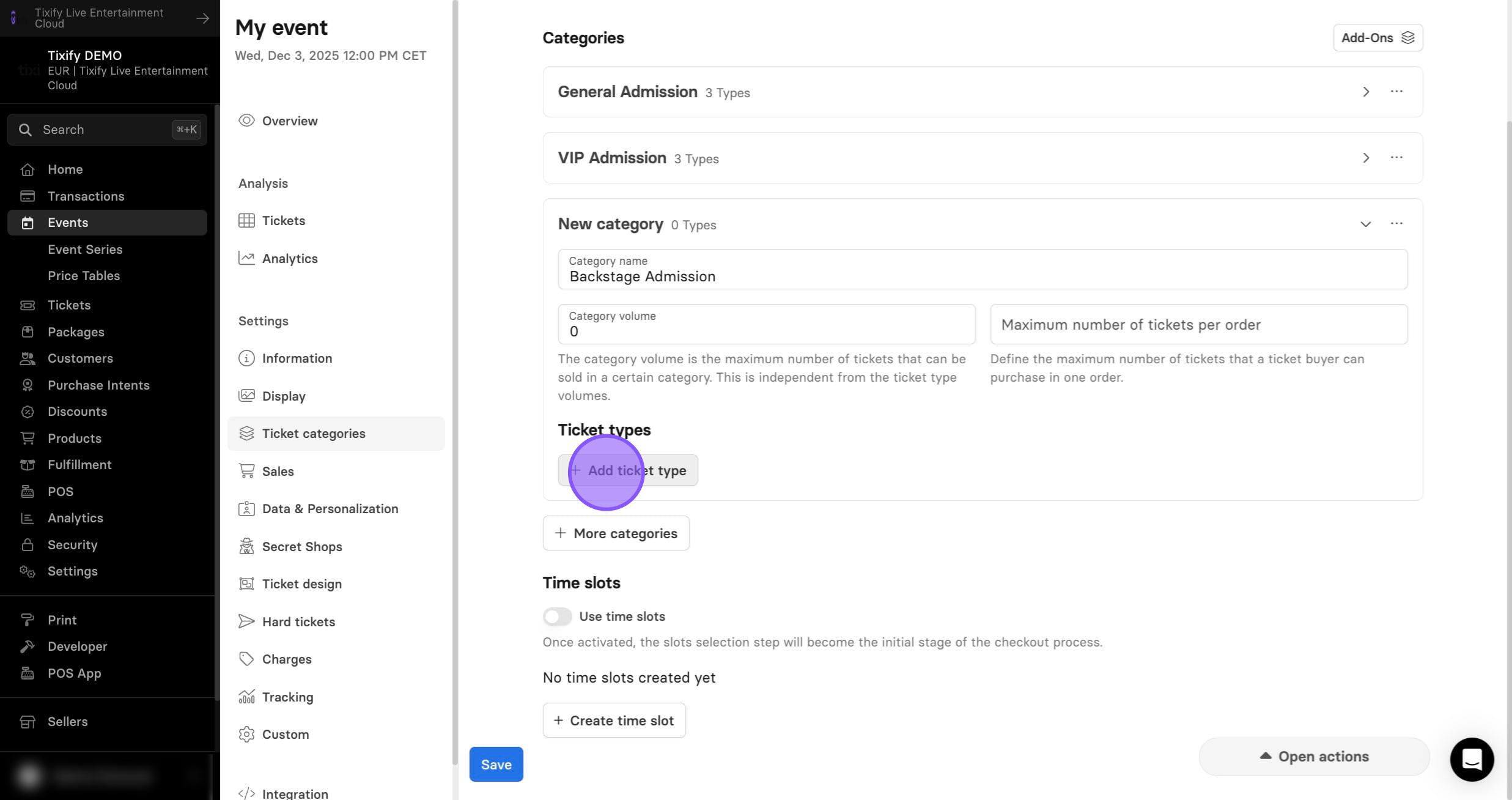
7: Give your ticket a proper name.
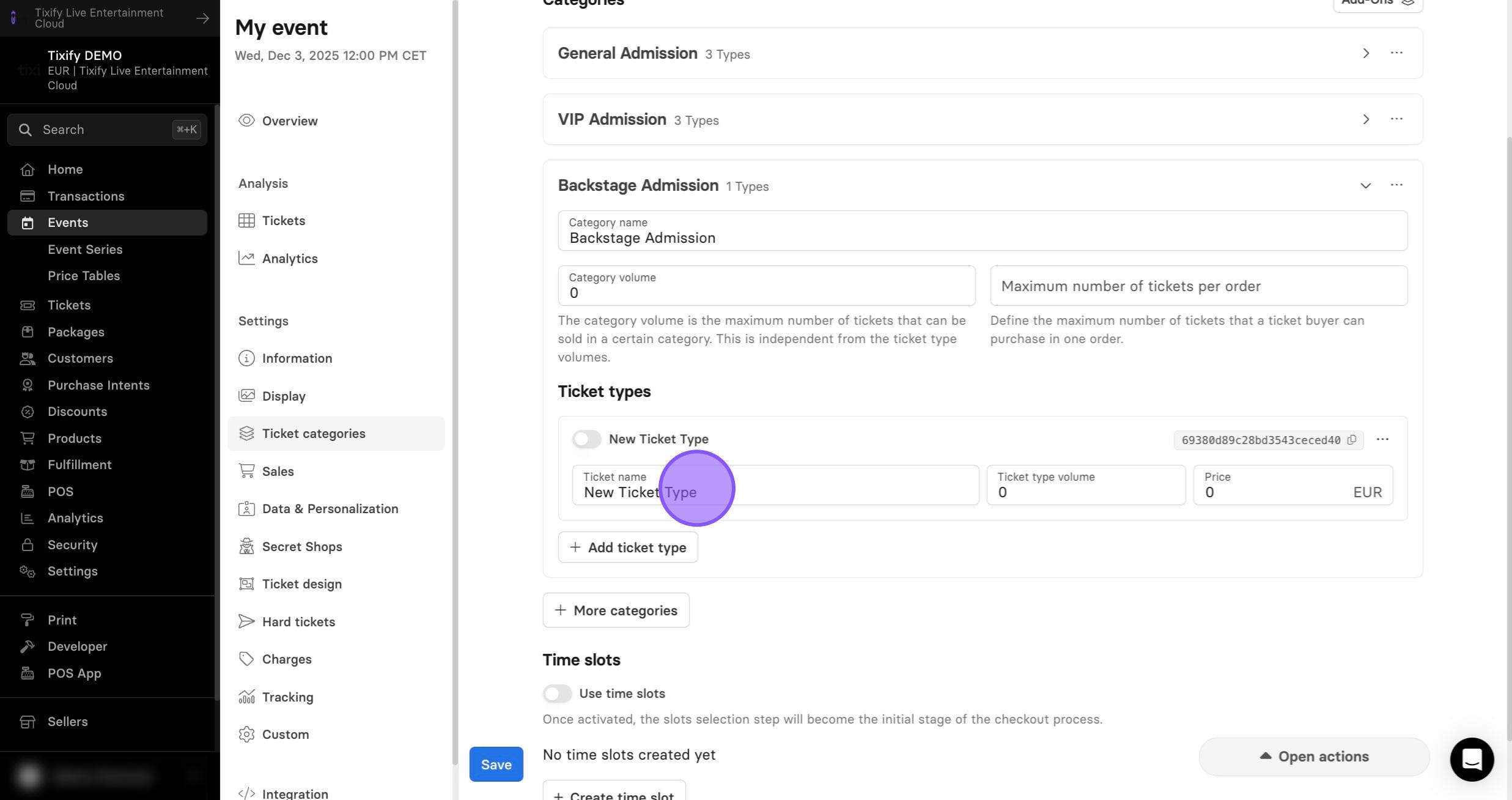
8: The ticket type volume is active for each of the ticket types created. Once this number is reached this ticket type will be sold out
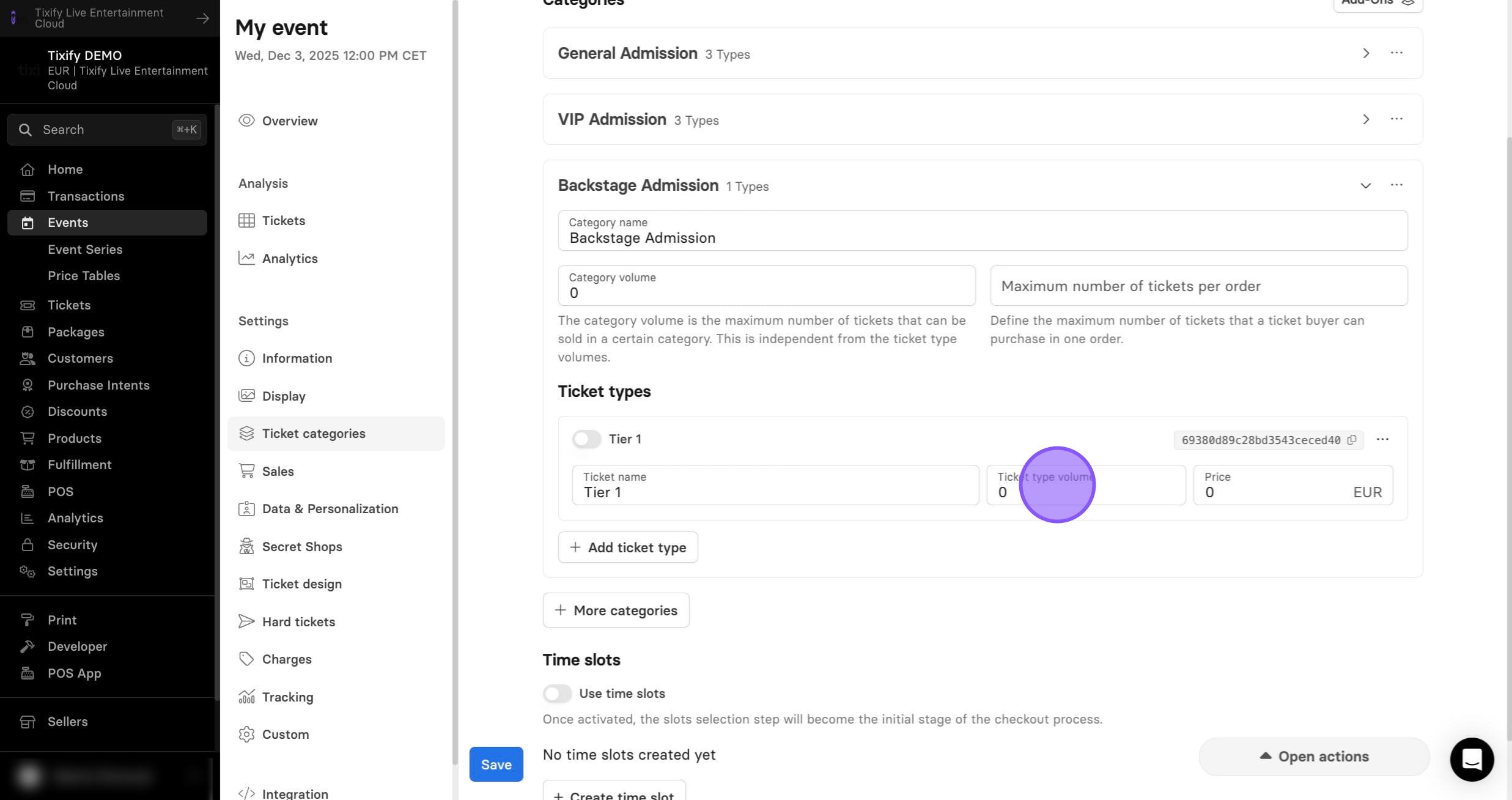
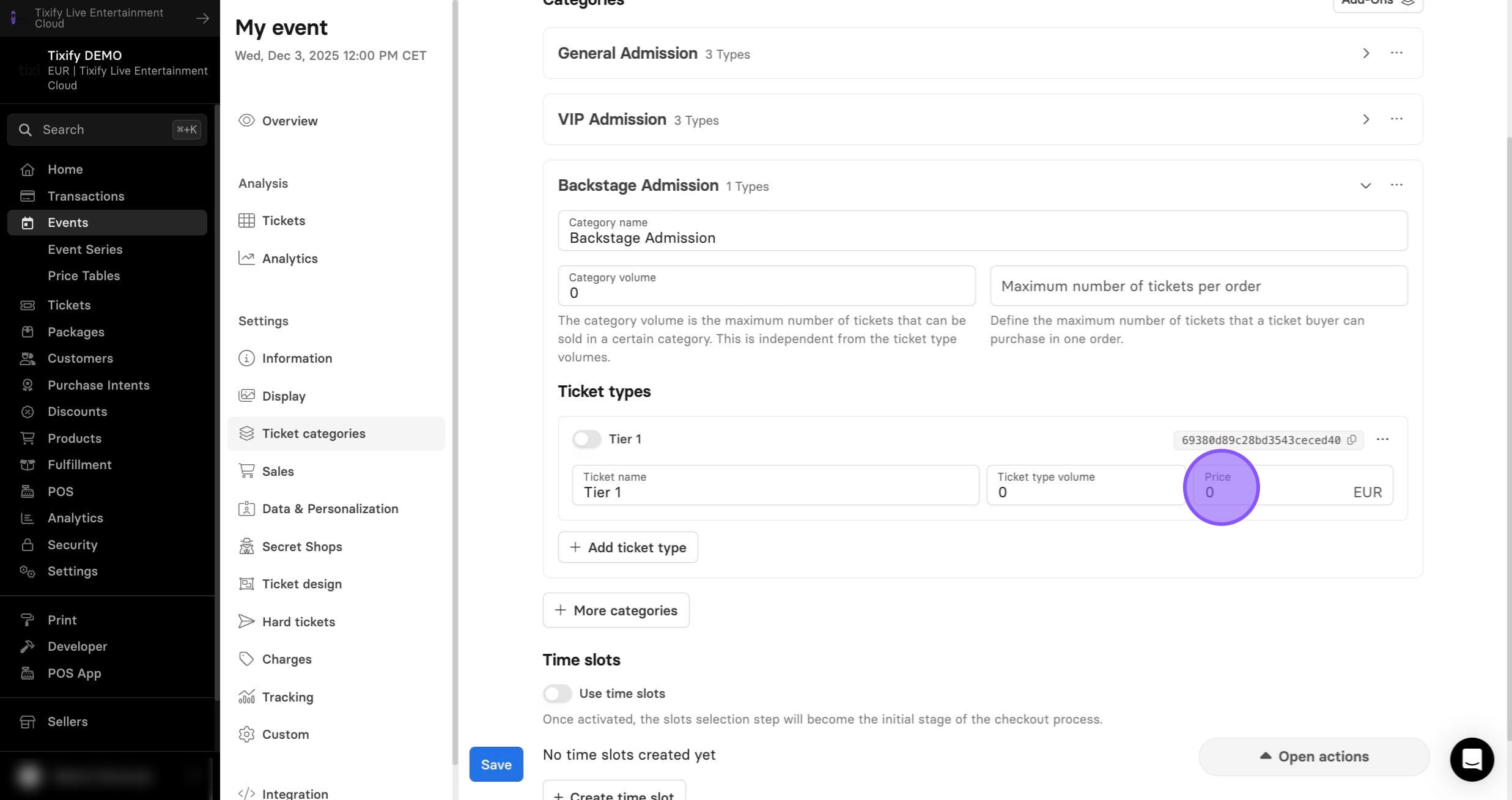
9: The price field is where you will set the cost for each of the respective ticket types.
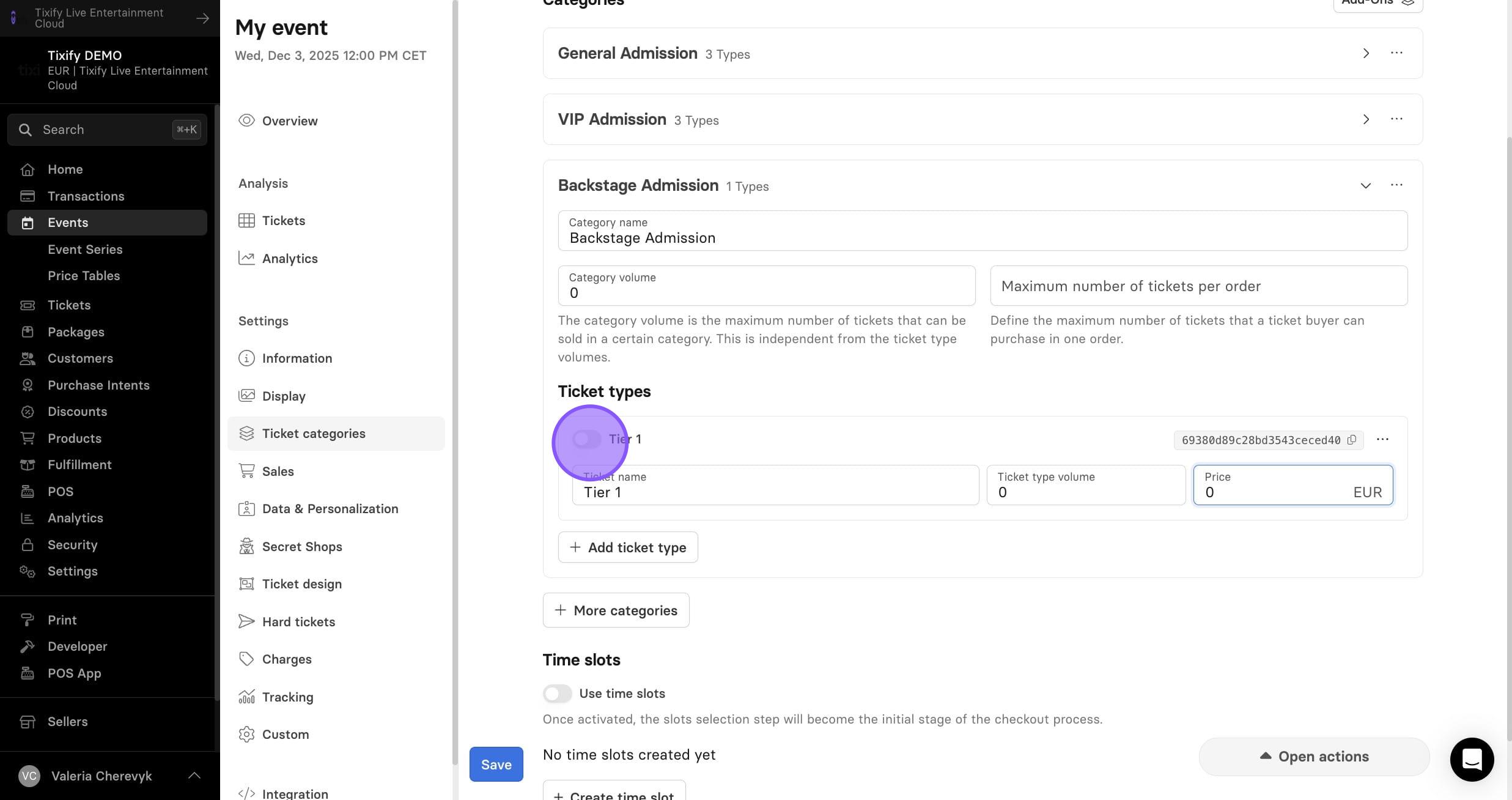
10: Once you are happy with the ticket configuration, set the ticket on sale by toggling it here.
Learn more about advanced ticket settings: